
Key Takeaways
-
Always back up your data before moving electronics to prevent any loss of important information.
-
Use original packaging or high-quality materials to protect your devices during the move.
-
Label cables and take photos of setups to ensure easy reassembly at your new home.
-
Maintain a climate-controlled environment for sensitive electronics during transit.
-
Contact professional movers if you’re unsure about safely transporting your tech gear.
Overview of Electronics and Device Transfer
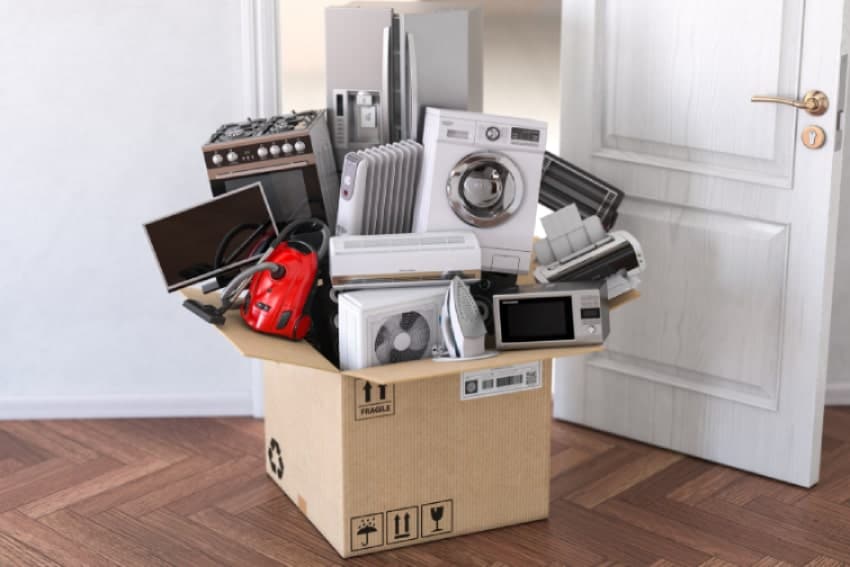
Moving can be a hectic process, and when it comes to transferring your valuable electronics, extra care is needed. Electronics are not only expensive; they often hold personal data and memories that are irreplaceable. In this guide, I’ll walk you through the essential steps and tools you’ll need to ensure your electronics are packed, transported, and set up safely in your new home. And remember, if you ever feel overwhelmed, professional movers are just a Contact Us away.
Most importantly, let’s talk about the approach. You’ll need a plan, the right materials, and a bit of patience. Whether it’s a gaming console, your home office setup, or your smart home gadgets, each item will need your attention. But don’t worry, I’ve got you covered with tips and tricks that will make the process a breeze.
Besides that, it’s essential to consider the timing of your move. Electronics are sensitive to extreme temperatures, so if you’re moving during a particularly hot or cold season, you’ll need to take extra precautions to maintain a stable environment for your devices.
Must-Have Packing Supplies for Tech
Before we dive into the packing process, let’s ensure you have all the necessary supplies. Here’s a quick list:
-
Sturdy boxes, preferably the original packaging of your devices
-
Anti-static bubble wrap or foam pouches for cushioning
-
Zip-top bags for small parts and screws
-
Twist ties or Velcro straps for cord organization
-
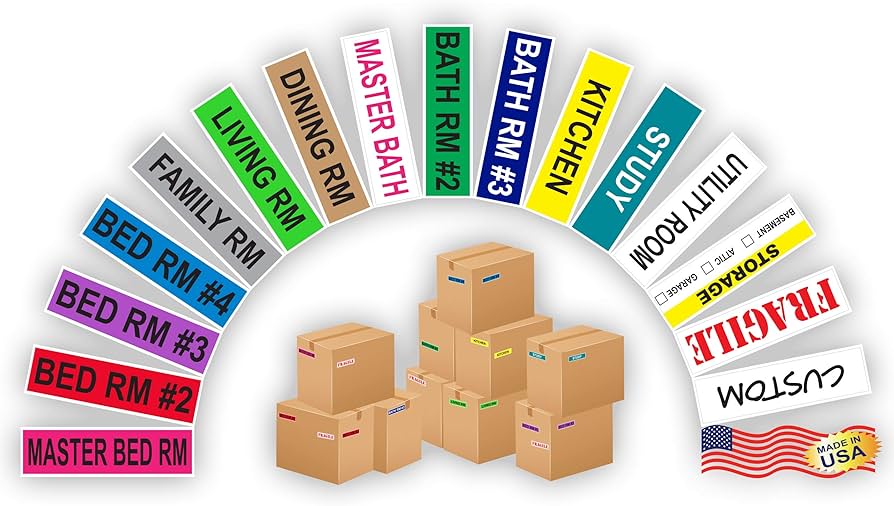
Labels or colored stickers for easy identification
-
Permanent markers for labeling boxes
-
A camera or smartphone for taking pictures of setups

Start with a Solid Plan: Pre-Move Organization
Organization is key to a successful tech relocation. Start by creating a list of all the electronics you need to move. This inventory will not only help you keep track of your items but will also be invaluable for setting everything up in your new home.
Creating a Detailed Inventory of Your Electronics
Make a list of all your devices, including model numbers and any serial numbers. This might seem tedious, but it’s crucial for keeping tabs on your valuables. If anything goes missing or is damaged, this list will be vital for insurance purposes.
Here’s a pro tip: as you’re making your inventory, decide what to keep and what might be ready for an upgrade. Moving is the perfect opportunity to declutter and start fresh with the latest tech if your budget allows.
Backing Up Your Data: Methods and Best Practices
Before you disconnect and pack up your computer or any device that stores data, back it up. You can use an external hard drive, cloud storage, or both for redundancy. Trust me, the peace of mind knowing your data is safe is worth the extra step.
And it’s not just computers—don’t forget to back up your smartphones, tablets, and even your game consoles. Any device that holds information you can’t afford to lose should be backed up before you pack.
Protect Your Devices: Packing Techniques
Now, let’s pack. If you’ve kept the original packaging for your devices, you’re ahead of the game. Original boxes are designed to protect your electronics during transit. If you don’t have them, don’t worry—here’s how to pack your tech like a pro.
First, power down your devices properly before packing them. This might seem obvious, but it’s often overlooked in the rush of moving. Once they’re off, you can start the packing process.
Example: When packing a flat-screen TV, wrap the screen in a soft blanket or use specially designed foam protectors that fit around the corners. Secure the protection with packing tape, making sure it doesn’t touch the screen directly. Then, place the TV upright in a sturdy box, filling any gaps with packing material to prevent movement.
Gather Manuals and Backup Data
Before you unplug anything, gather all manuals, warranties, and cords. If you no longer have the paper copies, look online for digital versions and save them to your computer. Manuals often include specific instructions for moving and setting up your devices, which will be invaluable when you’re reassembling your tech setup in your new space.
Backing up your data is critical. Whether you’re using a cloud service or an external hard drive, ensure all your files, photos, and important documents are safely stored. Remember, hardware can be replaced, but your digital life cannot.
Preparing Devices for Packing: Battery Removal and Attachment Care
For devices with removable batteries, take them out. This prevents potential overheating and damage during the move. And for all those cords and attachments, here’s how to keep them organized: for more detailed guidance, check out our smart home setup tips.
-
Use twist ties or Velcro straps to neatly coil each cord.
-
Place cords in labeled zip-top bags that correspond with their device.
-
Take a photo of the back of your TV or computer setup before disconnecting cables, so you know exactly how to reconnect everything later.
Therefore, by taking these steps, you’re ensuring a smooth transition for your electronics. And if you need assistance or have questions about moving your tech, don’t hesitate to Contact Us. We’re here to help make your move as seamless as possible.
Packing Strategies for Different Types of Devices
Each type of electronic device requires a slightly different approach to packing. For instance, your desktop computer demands a different strategy than your portable tablet. For high-value and fragile items, considering custom crating services might be beneficial. Let’s break it down:
For desktop computers, use padded foam or bubble wrap to protect the tower. Monitors should be wrapped separately, with the screen protected by a layer of cardboard or bubble wrap. Secure all padding with tape, but ensure it doesn’t stick to the device itself.
Laptops should be shut down and placed in a padded sleeve or case. If you don’t have one, wrap it in a soft cloth or bubble wrap before placing it in a box with additional cushioning.
For smaller gadgets like tablets and phones, wrap each item individually in bubble wrap, securing it with tape. Then, nestle them into a box with other soft items, such as clothing or linens, to provide extra padding.

Labeling for Peace of Mind: Cable and Accessory Organization
Disentangling a jumble of cables is no one’s idea of fun. To prevent this headache, it’s vital to label your cables and organize accessories effectively. This not only saves time during unpacking but also ensures you can easily set up your electronics in your new home.
Start by disconnecting all cables and laying them out. Attach a small label to each cable, indicating which device it belongs to and where it connects. Alternatively, you can use colored stickers or colored tape for a visual aid.
Once labeled, neatly coil each cable and secure it with a tie or Velcro strap. Place the coiled cables in a bag and label the bag with the corresponding device’s name.
Wire Identification and Labeling Systems
When it comes to wire identification, consistency is key. Choose a labeling system and stick to it. You might use:
-
Color-coded labels for different types of devices (e.g., blue for computer, red for TV)
-
Numbered labels that correspond to a numbered list in your moving binder
-
Printed labels with the name of the device and input/output port information
This system will make it much easier to match each cable to its correct device during the setup process at your new home.
Effective Ways to Pack and Transport Cables
Here are some effective ways to pack and transport cables:
-
Use toilet paper rolls to keep cables from tangling. Slide each coiled cable into a roll.
-
Store cables in individual zip-top bags with a piece of paper that notes the device they belong to.
-
For longer cables, consider using cable reels or wraps to prevent knots and damage.
By organizing your cables efficiently, you’ll save time and frustration when you arrive at your new home.
Home Set-Up: Reassembling Your Tech
Once you’ve arrived at your new home, the task of reassembling your tech awaits. But fear not! With your detailed inventory, labeled cables, and photos of your previous setup, this process can be straightforward and stress-free.
Begin by placing each device in its intended location. Refer to the photos you took before disassembling your setup to remember where each cable goes. If you’re not confident about reconnecting everything, keep in mind that professional help is just a click away—feel free to Contact Us for assistance.
Creating a Plan for Device Setup
Before you start plugging things in, create a plan. Sketch a rough diagram of where each device will go and how the cables will run. This will help you avoid a tangle of wires and ensure your setup is both functional and aesthetically pleasing.
Remember to consider the location of power outlets and the layout of the room. You may need to use extension cords or surge protectors to safely power all your devices.
Step-by-Step Guide for Reconnecting Devices
Now, it’s time to reconnect. Here’s a step-by-step guide to get you started:
-
Place your device in its final location and ensure it’s close enough to an outlet.
-
Refer to your labeling system to find the corresponding cables for each device.
-
Connect the cables according to the photos you took or the setup diagram you’ve created.
-
Power on each device to test that it’s working correctly.
If you run into any issues, double-check your connections and consult the device’s manual for troubleshooting tips. And remember, help is just a Contact Us away if you need it.
Ensure a Safe Arrival: Transit Tips for Electronics
Transporting your electronics safely is crucial to prevent damage. Whether you’re moving across town or across the country, here are some transit tips to keep in mind:
Choose a transportation method that minimizes jostling and exposure to extreme temperatures. If you’re using a moving truck, make sure your electronics are securely packed and won’t shift during the move.
Choosing the Right Transportation Method
When selecting a transportation method for your electronics, consider the following:
-
The distance of your move: Shorter moves may allow for more personal control over the transportation of your electronics.
-
The value of your devices: High-value or irreplaceable items might warrant special attention or even a dedicated service.
-
Climate conditions: Electronics are sensitive to temperature and humidity, so climate-controlled transport is ideal.
Whatever method you choose, ensure your electronics are among the last items loaded and the first to be unloaded, minimizing their exposure to less-than-ideal conditions.
By following these tips and seeking professional assistance when needed, you can ensure a smooth and safe relocation for all your tech devices. Remember, if you have any questions or need expert advice, don’t hesitate to Contact Us. We’re here to support you every step of the way in your tech relocation journey.
Transporting your electronics safely is crucial to prevent damage. Whether you’re moving across town or across the country, here are some transit tips to keep in mind:
Choose a transportation method that minimizes jostling and exposure to extreme temperatures. If you’re using a moving truck, make sure your electronics are securely packed and won’t shift during the move.
Choosing the Right Transportation Method
When selecting a transportation method for your electronics, consider the following:
-
The distance of your move: Shorter moves may allow for more personal control over the transportation of your electronics.
-
The value of your devices: High-value or irreplaceable items might warrant special attention or even a dedicated service.
-
Climate conditions: Electronics are sensitive to temperature and humidity, so climate-controlled transport is ideal.
Whatever method you choose, ensure your electronics are among the last items loaded and the first to be unloaded, minimizing their exposure to less-than-ideal conditions.
By following these tips and seeking professional assistance when needed, you can ensure a smooth and safe relocation for all your tech devices. Remember, if you have any questions or need expert advice, don’t hesitate to Contact Us. We’re here to support you every step of the way in your tech relocation journey.

How do I transfer devices from one home to another?
Transferring devices from one home to another can be done smoothly with careful planning and execution. Ensure you have all the necessary packing materials, back up your data, and properly label and organize your electronics and their accessories. For more detailed guidance, consider reading our smart home setup tips to help with moving and transferring your devices.
Step-by-Step Instructions for Safe Device Relocation
Start by backing up your data and gathering manuals and warranties. Then, disconnect and label all cables, and securely pack each device using appropriate materials. Once at your new home, refer to your labeling and photos to set up your devices correctly.
Here is a table listing 20 electronic home devices:
|
Device |
Description |
|---|---|
|
Air Conditioner |
Regulates indoor temperature |
|
Alarm Clock |
Wakes you up at a set time |
|
Blender |
Blends ingredients for various recipes |
|
Coffee Maker |
Brews coffee automatically |
|
Dishwasher |
Cleans dishes without manual effort |
|
Electric Kettle |
Boils water quickly |
|
Food Processor |
Chops, slices, and mixes food |
|
Hair Dryer |
Dries hair after washing |
|
Microwave Oven |
Heats and cooks food rapidly |
|
Refrigerator |
Keeps food cold and fresh |
|
Smart Speaker |
Plays music and controls smart home devices |
|
Smart Thermostat |
Regulates home temperature efficiently |
|
Television |
Displays visual content for entertainment |
|
Toaster |
Toasts bread slices quickly |
|
Cleans floors and carpets automatically |
|
|
Washing Machine |
Cleans clothes efficiently |
|
Wi-Fi Router |
Provides wireless internet connectivity |
|
Smart Doorbell |
Notifies when someone is at the door |
|
Robot Vacuum |
Automatically cleans floors without supervision |
FAQ
Here are some frequently asked questions that can help you during your move:
How should I pack my computer monitor for a move?
Wrap your monitor in anti-static bubble wrap and secure it with tape. Place it in a box with sufficient padding, ideally the original box, and fill any gaps with additional cushioning materials to prevent movement.
For extra protection, consider covering the screen with a piece of cardboard cut to size before wrapping it in bubble wrap. This adds an additional layer of defense against screen damage.
Can I transport my gaming console in its original box?
Yes, transporting your gaming console in its original box is ideal, as it’s designed to protect the console during shipping. Ensure all cables are removed and packed separately, and if the original padding is not available, use bubble wrap or other cushioning materials to secure the console inside the box.
Is it necessary to remove batteries from remote controls during a move?
It is recommended to remove batteries from remote controls and other devices to prevent the risk of leakage or overheating during transit, especially if they will be exposed to temperature changes or stored for an extended period.
What should I do if I lose a cable during the move?
If you lose a cable, check all your labeled bags and boxes first. If it’s still missing, you can usually find a replacement online or at an electronics store. Make sure to get the correct type and length for your device.
How can I ensure my electronics are protected from temperature changes while moving?
To protect your electronics from temperature changes, move them in a climate-controlled environment, such as the backseat of your car instead of the trunk or a climate-controlled moving truck. Avoid leaving electronics in a vehicle overnight and keep them away from windows and direct sunlight during the move.
Moving electronics requires attention to detail, but with these tips and guidelines, you can rest assured that your devices will arrive safely at your new home. And if you’re ever in doubt or need a helping hand, our expert team is just a Contact Us away. Let us help you make your tech relocation as smooth as possible.